
So Your Team Actually Uses Redmine
You’ve set up Redmine, but your team members just won’t use it. You end up chasing people down for status updates yourself — sound familiar?
The problem isn’t Redmine.
There’s an inherent contradiction at play: for project managers, tracking progress is a core responsibility; for team members, it’s extra overhead. From a member’s perspective, the cost of learning a tool — especially one that feels outdated — just to file progress reports simply isn’t worth it.
RedSync solves that structural problem.
Project managers design and manage the whole project in Redmine. Team members run their work in Trello. RedSync connects the two in real time. Your Redmine investment stays intact — no migration, no double entry.
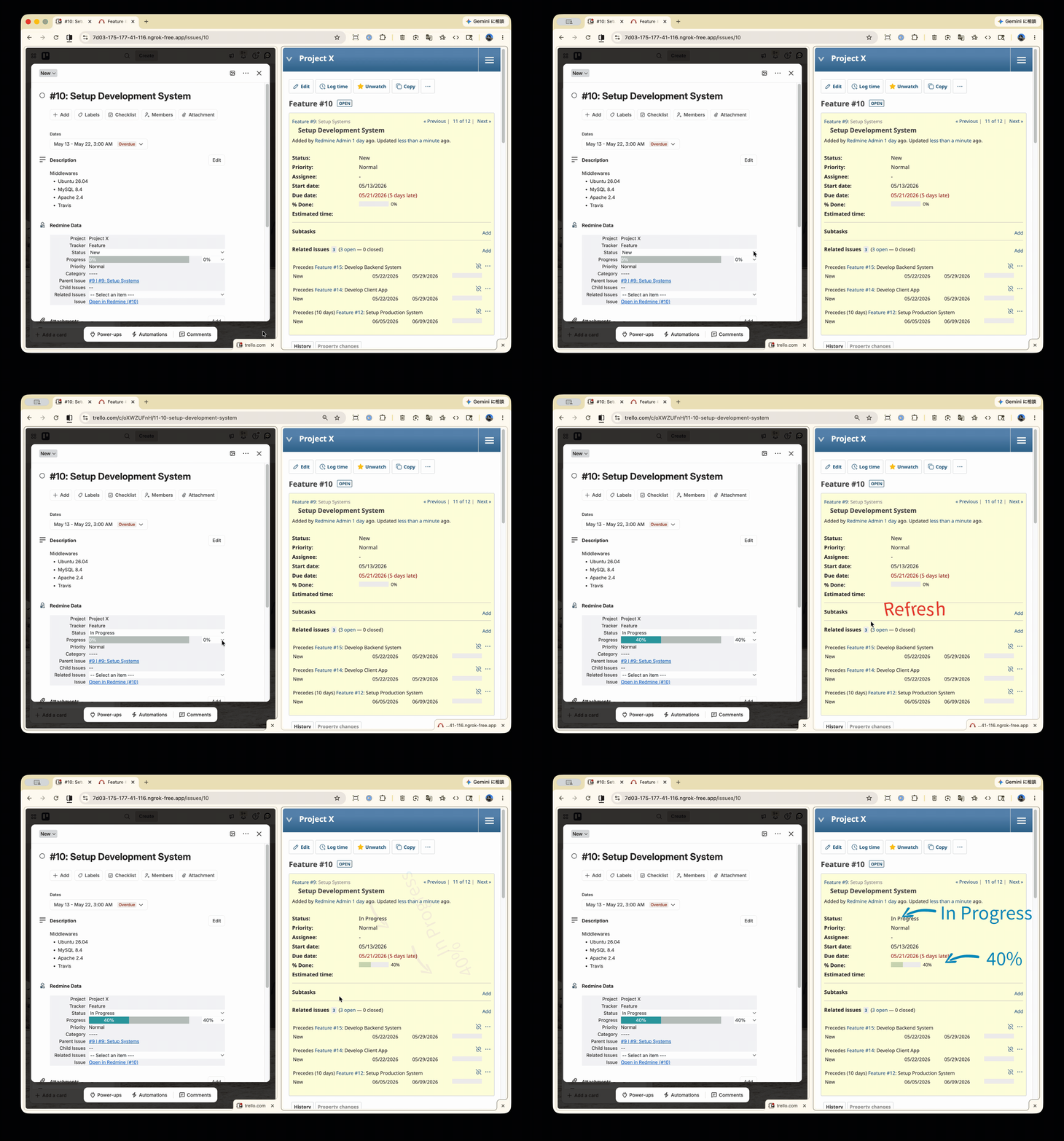
Status and progress can be reported directly from the card, and the update hits Redmine in real time.
Why Team Members Actually Use Trello
Because Trello isn’t a “reporting tool” — it’s a tool that helps them get their own work done. They organize today’s tasks on cards, work through checklists, and see who’s responsible for what at a glance. They use it because it works for them. And as a byproduct, progress flows back to Redmine.
Here’s what a card looks like from a member’s perspective.
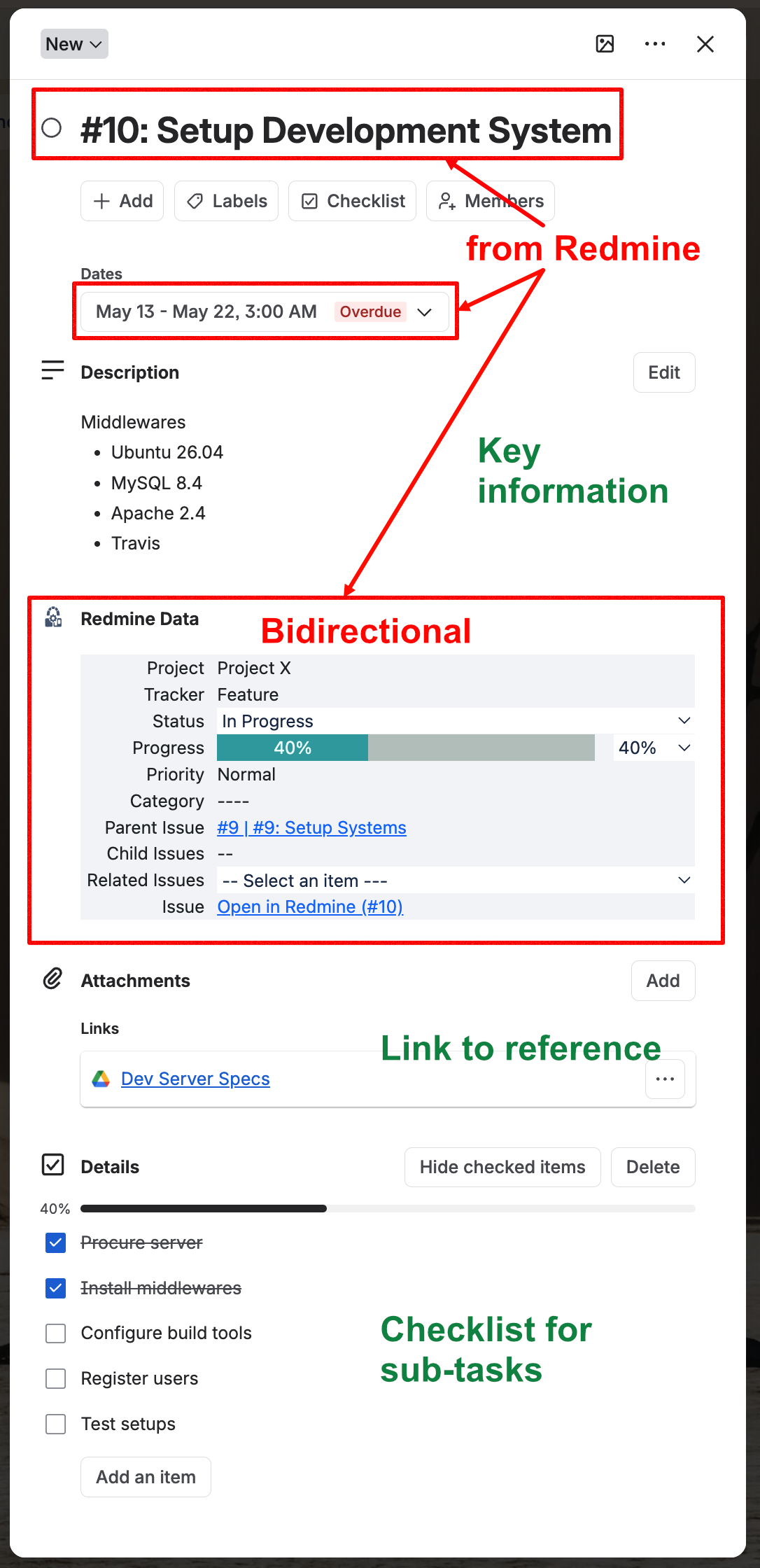
💡 A Note on How Redmine and Trello Divide the Work
Attachments and task lists are available in Redmine tickets too. The difference is that in Redmine, you need to create a ticket just to use them.
In practice, not everything warrants a ticket. A personal note, a quick reminder for the team, a one-day checklist — these small pieces of work that don’t quite rise to ticket level are exactly what Trello cards handle naturally. And that’s a big part of why team members actually use them.
Grasp Situation with Gantt Chart
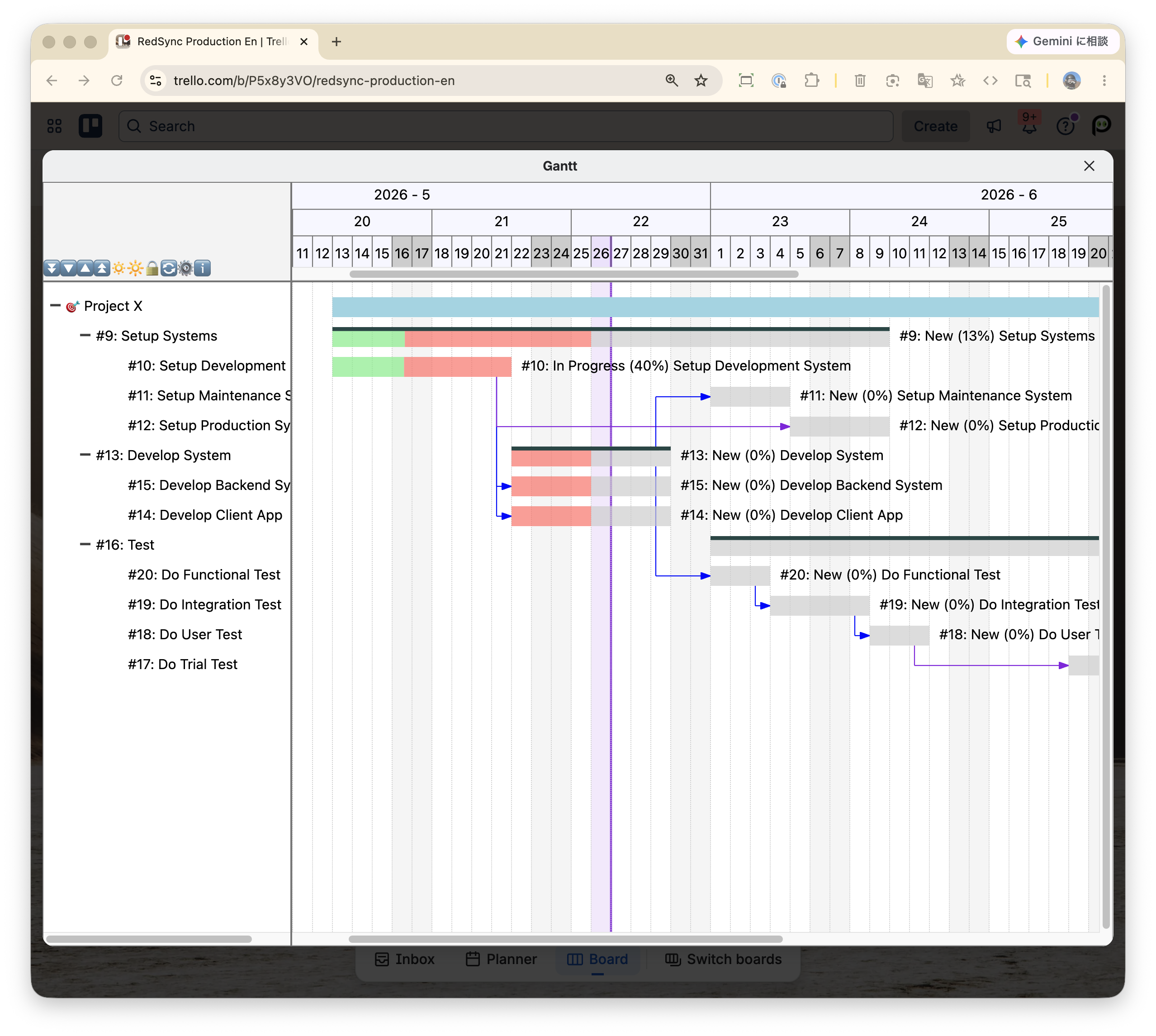
Members can also view the Gantt chart right inside Trello — so they can see when their next task starts, and whether upstream work is on track. They make those calls themselves, without pinging the project manager.
Master Schedule Always Lives in Redmine
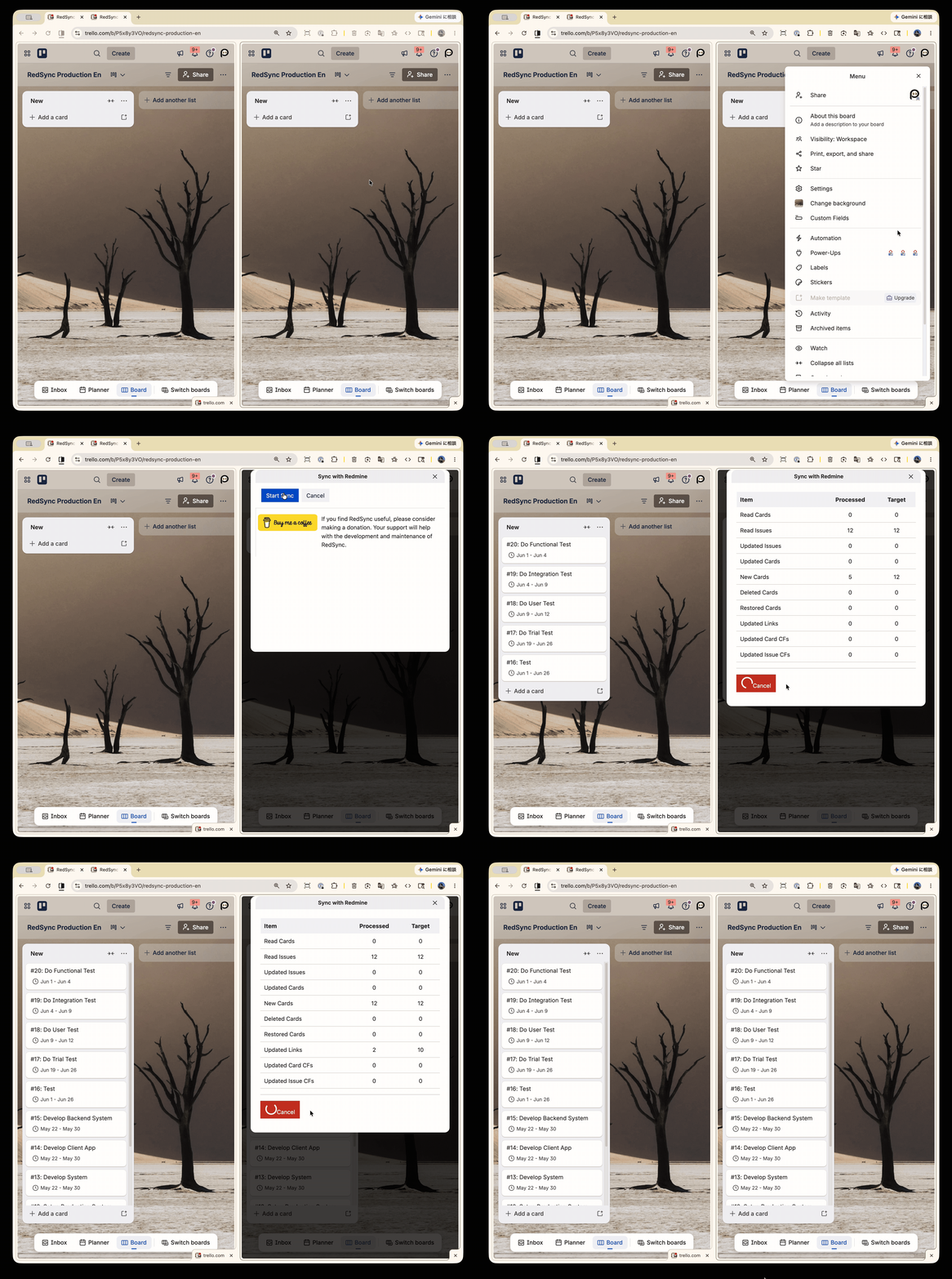
Tickets and schedules are always managed in Redmine. Once the schedule is set, just sync your Redmine tickets to the Trello board. Cards are created for the whole team at once, and everyone gets the latest schedule immediately. Sync again whenever tickets are updated, and everything stays current.
Keep Moving Forward With Redmine
Your tickets, schedules, and permissions stay exactly as they are. What changes is how your team works together.
Documentations
Try RedSync
RedSync is a Trello Power-Up so that it can be easily installed on Trello just like any other Power-Up.
HTTPS Required
Your Redmine server must support HTTPS. Most servers likely already support it, but please check your environment.
For other necessary Redmine configuration requirements, please refer to Administrator’s Guide.
You can install RedSync on Trello using the link below if you’re already set up.

Resources on HTTPS and CORS
Information about installing Redmine and supporting HTTPS and CORS is provided in the article below.
If you need to consult with your system administrator, sharing this information with them should make evaluating easier.
You can also use RedSync Proxy to connect with Redmine servers that do not support CORS. (See here for details.)


Change History
| Date | Description |
| 2026/05/24 | Fully revised |
| 2024/05/24 | Revised |
| 2023/04/24 | Revised |
| 2022/09/17 | Add description for RedSync |
| 2022/08/28 | Add demos |
| 2022/08/09 | Initial release |