
You can initiate the Sync with Redmine operation as follows:
Menu -> Sync with Redmine

RedSync performs the synchronization and shows the in-progress status.
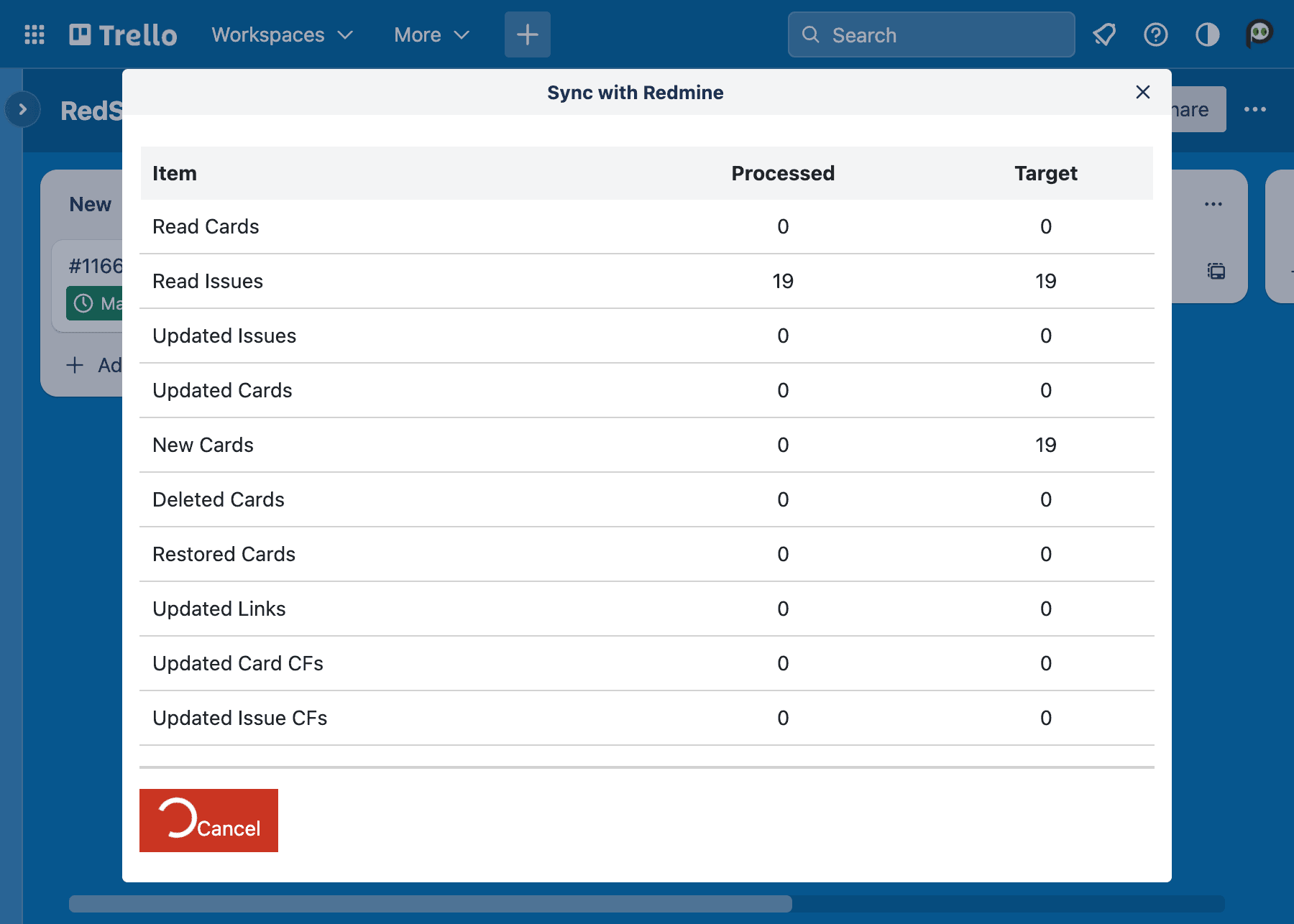
During the synchronization, RedSync performs the following operations:
- Create a new Trello card if Redmine has a new issue.
- Archive a Trello card if the connected Redmine issue is missing (probably deleted).
- Move the Trello card to the specified List if Move to List is checked in the Settings.
- Start Date
- Always sync from a Redmine issue to a Trello card.
- Due Date
- Always sync from a Redmine issue to a Trello card
- Subject / Description
- Sync from a Redmine issue to a Trello card when:
- Synchronize from Card to Issue on Sync with Redmine is checked in the Settings.
- Sync from a Trello card to a Redmine issue when:
- Synchronize from Card to Issue on Sync with Redmine is not checked in the Settings.
- Sync from a Redmine issue to a Trello card when:
- Members
- Synchronize Assigned User is checked in the Sync with Redmine, the assignee of a Redmine issue will be added as a member of a Trello card.
You can perform this operation when:
- You are an administrator of the Board, and
- You made the Settings, or Allow other administrators to execute Sync with Redmine is checked in the Settings.
- If you are another administrator who did not make Settings, you have registered your API Key via Account Link.
Suppose you are not the same person who made the Settings. RedSyncnc warns that if you and another person execute synchronizations simultaneously, the synchronization may result in inconsistencies between Trello cards and Redmine issues. You can continue the operation if you are sure there is no simultaneous synchronization.
See also Sync with Redmine vs. Sync on Card