
When you open a Trello card, RedSync shows the Redmine Data section, which contains data RedSync retrieves from a Redmine issue.
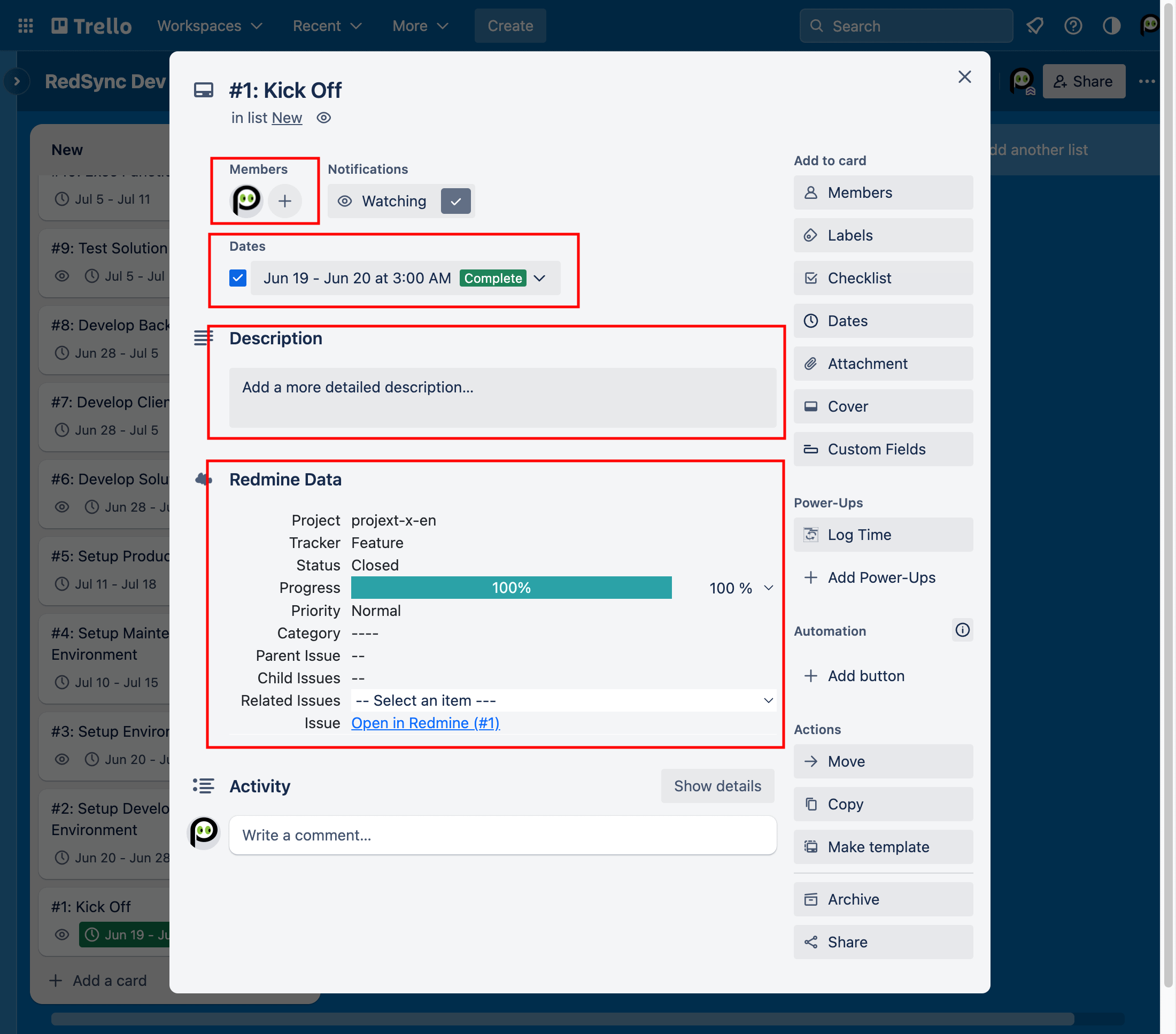
It contains the following data items:
- Project
- Tracker
- Status
- Progress
- Priority
- Category
Depending on the Settings, some items are editable, and you can update them. However, Redmine’s workflow, roles, and permissions associated with the API Key protect those items. Hence, when you update those items, you may notice their value does not change.
The section also includes the following links:
- Parent Issue – Open the parent Trello card if any
- Child Issues – Open the child Trello card if any
- Related Issues – Open the related Trello card if any
- Issue – Open the connected Redmine issue
You can also update the following fields on the Trello card, but RedSync may overwrite them in the Sync with Redmine operation, depending on the Settings.
- Subject – Synchronized from a Trello card to a Redmine issue or vice versa
- Description – Synchronized from a Trello card to a Redmine issue or vice versa
- Start Date – Always overwritten with the start date in a Redmine issue
- Due Date – Always overwritten with the due date in a Redmine issue